风格

截图
9 张截图 网格- 版本
- 1.3
- 大小
- 4 MB
- 首次发布
- 2026年9月17日
- 分类
- 音乐
应用介绍
来自 App Store 商店页Song in the Air plays the music you own, at the quality you paid for.
Point it at your network and it finds your servers — MinimServer, Asset UPnP, Plex, Synology, Twonky, Jellyfin — along with every renderer that can play from them. No accounts, no cloud, no library to import. Your music stays where it is.
BIT-PERFECT BY DESIGN
Audio never passes through this app on its way to your system. The server streams directly to your renderer, untouched: no transcoding, no re-encoding, no volume normalisation, no sample-rate conversion. A 24-bit/192kHz master arrives as a 24-bit/192kHz master. The signal path is shown, not claimed — format, bit depth, sample rate and bitrate sit in plain view while you listen.
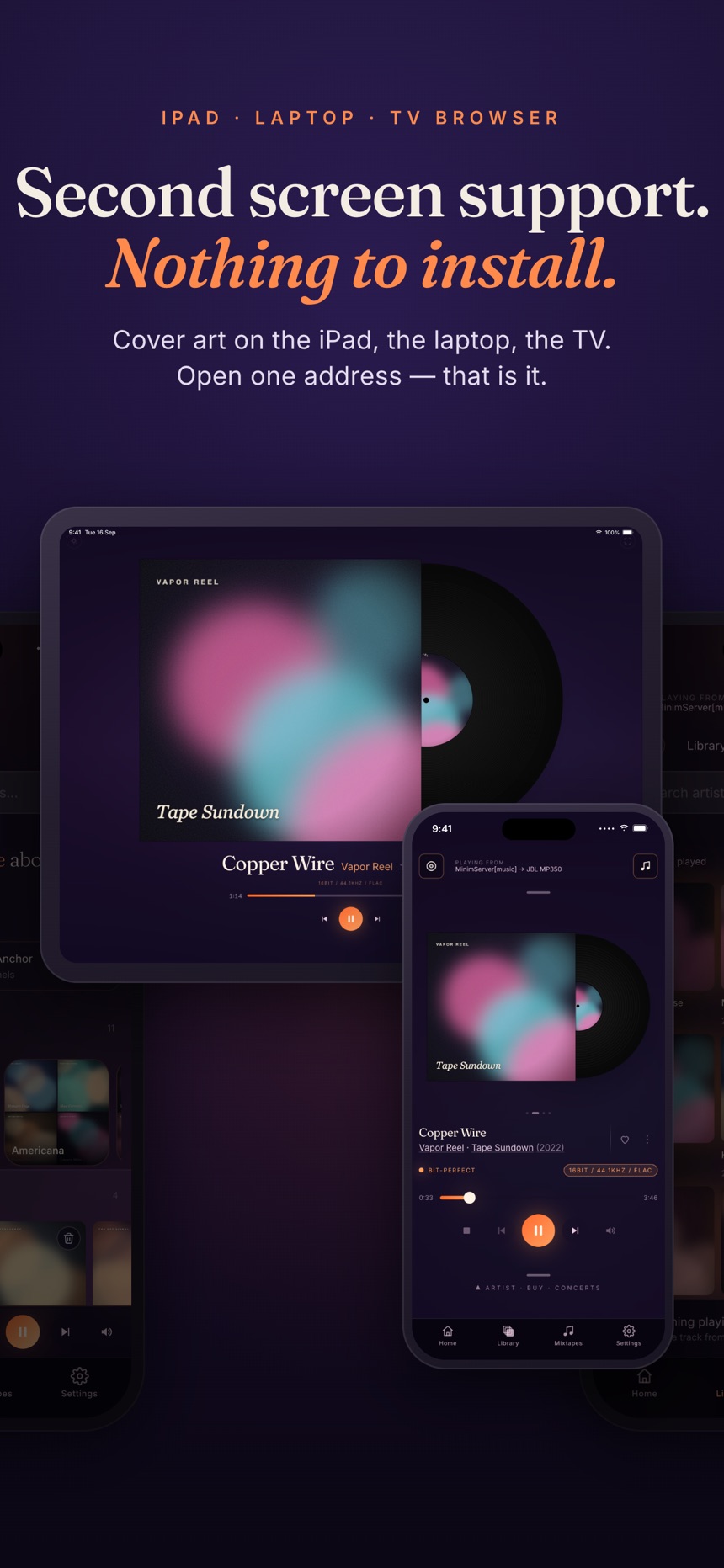
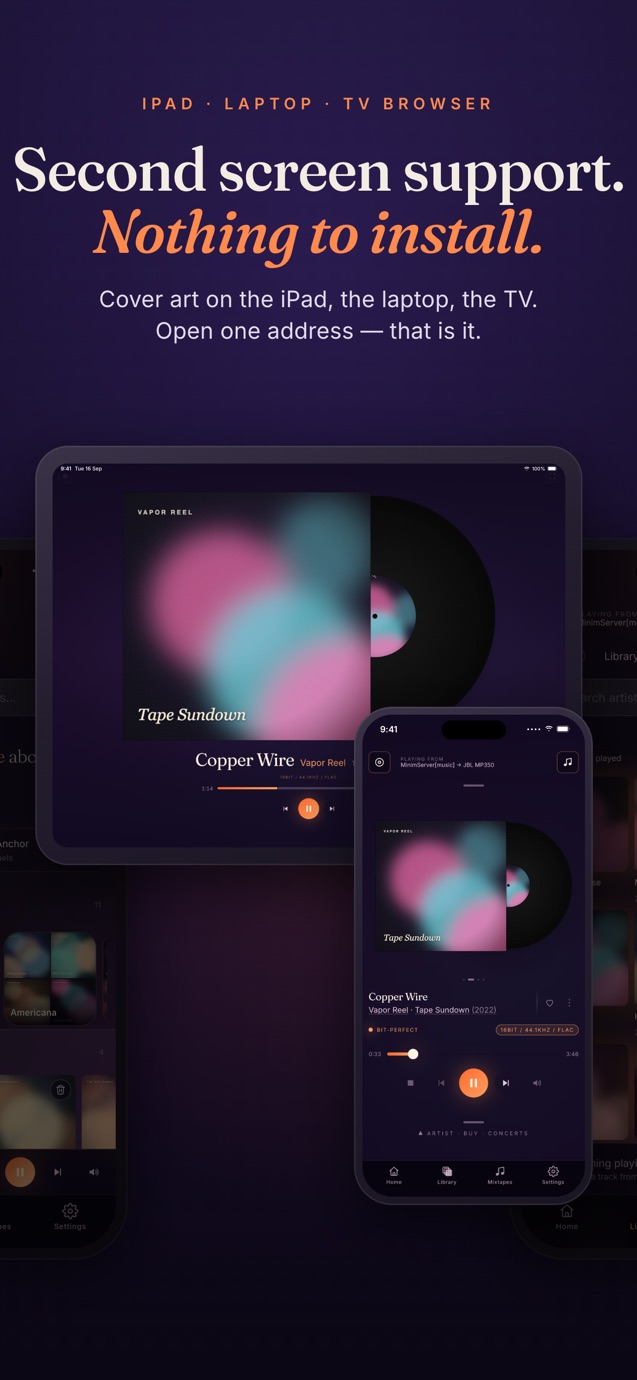
A SECOND SCREEN, WITHOUT INSTALLING ANYTHING
Put the phone down. A tablet, a laptop or your TV's browser becomes a now-playing display: large cover, title, year and the actual format, readable across the room. Switch it on in Settings and scan the QR code with the tablet — no address to type. Nothing to install on the other device, no account, nothing leaves your network. Five views, light or dark, with optional playback controls.
PLAY ON YOUR SYSTEM — OR ON YOUR PHONE
Send music to your streamer, amplifier or active speakers. Or pick your iPhone as the playback device and listen through headphones or a portable DAC. Local playback announces the source sample rate to the audio system per track, so your files are not quietly resampled on the way out.
BUILT FOR PEOPLE WHO LOOK AT COVERS
Full-screen artwork with the sleeve treatment, cover-driven colour throughout the interface, and automatic artwork upgrades when your server's image is too small for the screen. Browse by artist, album, genre or label. Discovery rows surface what is new on the shelf, what you have never played, and what you heard last — tap one to pick up where you left off.
FINDS THINGS IN A LARGE COLLECTION
An A–Z strip above the album list, sorting by most or least played, and a grid or list layout — all on one row. Drag to reorder the queue, swipe to remove. Built against a library of 1,300 albums, not a demo shelf.
SUBSCRIPTION
Use Song in the Air free for the first 7 days, no purchase needed. After that it is a subscription, monthly or yearly, with a free week on your first subscription — or a one-time Lifetime purchase with all future updates included and no subscription at all. A subscription renews automatically unless cancelled at least 24 hours before the end of the current period. You can manage or cancel it anytime in your Apple Account settings. Prices for your country are shown in the app before you buy.
Terms of Use: https://www.apple.com/legal/internet-services/itunes/dev/stdeula/
Privacy Policy: https://songintheair.app/en/privacy.html
WHAT IT DOES NOT DO
No account. No telemetry. No advertising. Nothing is uploaded anywhere. The app talks to your servers and to your playback devices. Beyond that it reaches the internet for three things, and only these three: the App Store, to check your subscription; cover art when your server has none or only a small one; and artist information when you open that panel. Besides Apple, four services are involved — MusicBrainz, the Cover Art Archive, Wikidata and Wikipedia, all run by non-profit foundations — and every one of them is named in the privacy policy.
REQUIREMENTS
A UPnP/DLNA media server on your local network. Playback on external devices needs a UPnP renderer; local playback works on its own. Hi-res output beyond the phone's built-in capability requires an external DAC.
Try it without a server: Demo mode in Settings fills the app with a small sample catalogue so you can see how it works.
用户评价
0 条文字评价暂无文字评价
分享卡片 #
Instagram / 微博 / 小红书 会拉起系统分享并附带生成的卡片图
Song in the Air: UPnP & DLNA
音乐
限时免费
¥68.00
PlayMobowww.playmobo.cn


Song in the Air: UPnP & DLNA
音乐
限时免费
¥68.00
扫码查看详情
PlayMobo · playmobo.cn
发现好玩的 iOS 应用与游戏
Song in the Air: UPnP & DLNA
音乐
限时免费
¥68.00
扫码查看详情
PlayMobo · playmobo.cn
发现好玩的 iOS 应用与游戏
Song in the Air: UPnP & DLNA
音乐
限时免费
¥68.00
PlayMobowww.playmobo.cn