风格

截图
5 张截图 网格- 版本
- 1.3.0
- 大小
- 14 MB
- 首次发布
- 2026年9月9日
- 分类
- 图像与设计
应用介绍
来自 App Store 商店页Preview3D is a fast, native iPad viewer for the 3D formats you actually use — from CAD to mesh to 3D printing — in one clean window.
Open a STEP file from a vendor, a painted 3MF from your slicer, or an STL someone sent you, and see it instantly — in the app, or right in the Files app with Quick Look and 3D thumbnails. No web uploads, no account, no clutter.
SUPPORTED FORMATS
• STEP / STP, STL, OBJ, PLY
• glTF / GLB, USDZ / USD, COLLADA (DAE)
• 3MF — including painted multi-material prints
• FBX, 3DS, X3D, LWO, MS3D, AC, AMF, OFF and more (via Assimp)
• G-code and PrusaSlicer binary G-code (.bgcode)
REAL STEP SUPPORT
Preview3D reads STEP with a pure-Swift B-rep kernel: watertight tessellation and crease-aware normals straight from the exact geometry, so cylinders stay smooth and edges stay crisp. Files that carry colors (STYLED_ITEM) render each part in its assigned color.
INSPECT
Open the info panel for bounding-box dimensions, volume, surface area, watertightness and structure — solids, faces, edges, triangles and vertices.
3D-PRINTING FILES
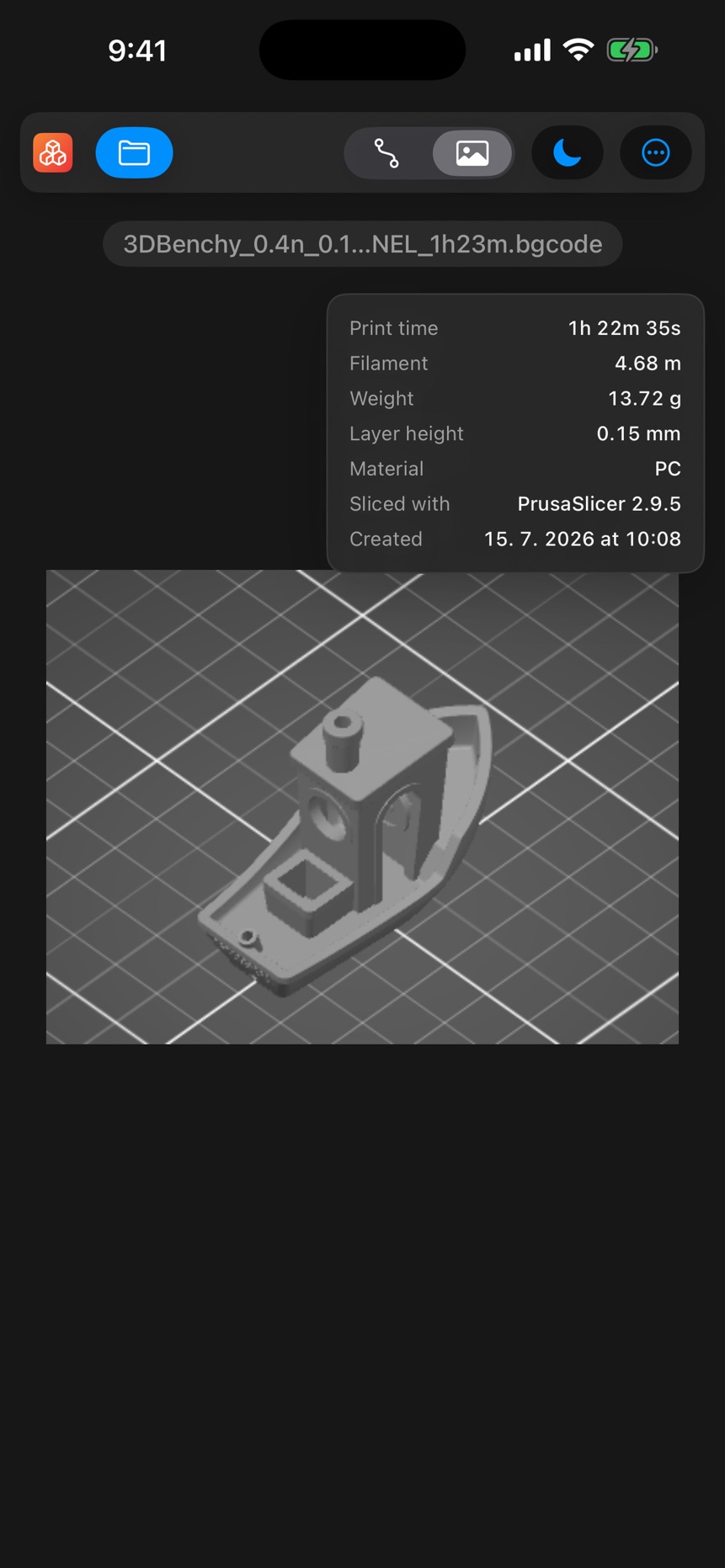
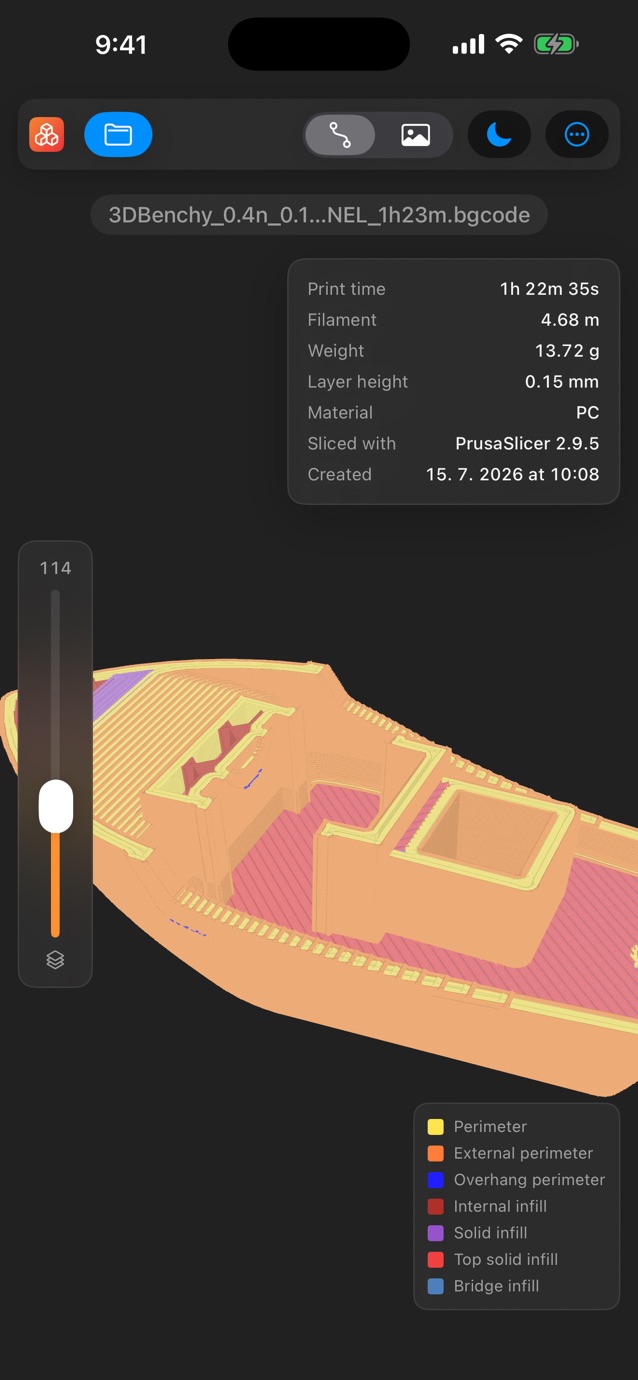
Open your slicer's G-code or PrusaSlicer .bgcode, orbit the print toolpath in 3D, flip to the embedded preview image, and read the print stats — time, filament, weight, layer height and material.
PAINTED 3MF, IN FULL COLOR
Multi-material painting from PrusaSlicer (per-triangle segmentation) is decoded and rendered in its filament colors — including fine sub-facet brush detail — so you can preview a finished multi-color print before it leaves the slicer.
SEE IT IN YOUR ROOM
View any model in AR with AR Quick Look — place it on your desk or the floor and walk around it.
QUICK LOOK & THUMBNAILS
Preview supported files right in the Files app, and get real 3D thumbnails — including STEP, painted 3MF, COLLADA (DAE), FBX and 3DS that iPadOS can't render on its own. Keep your models in the Preview3D folder in Files and reopen them anytime.
SHARE
Send a PNG snapshot of the current view to any app. Placing a model in AR? Share it as USDZ right from there.
BUILT FOR IPAD
A real iPad app built on SceneKit and Metal — quick to launch, quick to orbit. Fully offline: everything runs on your iPad, no account, no network. iPadOS 17 or later.
BUY ONCE, USE EVERYWHERE
Preview3D is a universal purchase: one purchase covers both the iPad app and the Mac app. The Mac version adds PMI / GD&T (AP242) reading, assembly trees with per-part isolation, and one-click conversion to STL, OBJ, GLB and USDZ.
Note: measurements are produced by automated tessellation and are provided for convenience — always verify against your authoritative CAD source for manufacturing-critical work.
用户评价
0 条文字评价暂无文字评价
分享卡片 #
Instagram / 微博 / 小红书 会拉起系统分享并附带生成的卡片图
Preview3D
图像与设计
¥68.00
PlayMobowww.playmobo.cn


Preview3D
图像与设计
¥68.00
扫码查看详情
PlayMobo · playmobo.cn
发现好玩的 iOS 应用与游戏
Preview3D
图像与设计
¥68.00
扫码查看详情
PlayMobo · playmobo.cn
发现好玩的 iOS 应用与游戏
Preview3D
图像与设计
¥68.00
PlayMobowww.playmobo.cn