应用介绍
来自 App Store 商店页
Turn your iPhone or iPad into a complete audio control center. SoundGrid is a fast, flexible soundboard for live playback, audio creation, streaming and recording.
FEATURES
Pads and playback
- 10 color choices, custom names and optional artwork for clear visual organization
- MP3, WAV, M4A, AIFF, AIFC and CAF audio support
- Normal, Loop and Play Next modes, with automatic transition to the next pad
- Waveform trimmer with precise start and end points
- Per-pad volume, Fade In and Fade Out controls
- Master volume, global fade out, pause, resume and stop-all controls
- Priority pads that automatically lower other sounds, with an adjustable ducking level
- Background audio and system media controls
- Played indicators, individual or automatic pad locking, unlock-all and status reset tools
- Optional progress display and remaining-time countdown
- Live mode to reduce accidental triggers during a performance
Import and media
- Import audio from Files, iCloud Drive and compatible cloud providers
- Import unprotected tracks from your Apple Music library
- Open supported audio files directly in SoundGrid
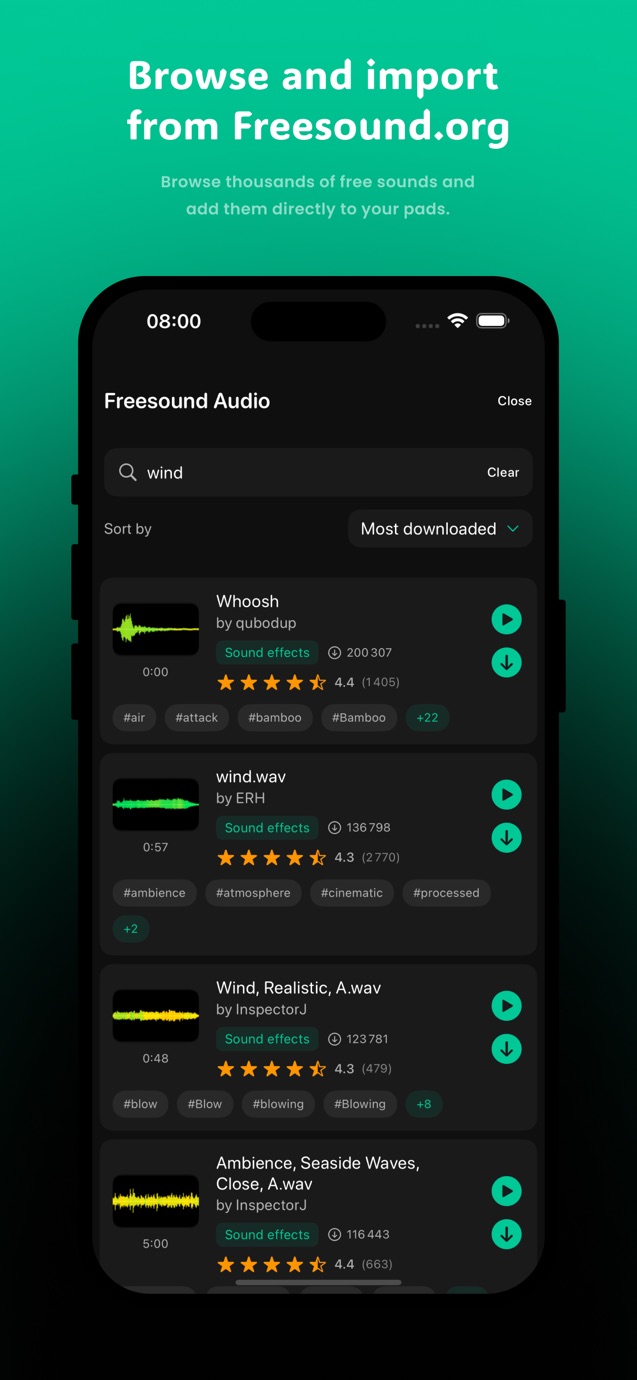
- Search, preview, sort and download sounds from Freesound.org
- Add pad artwork from Photos, Files or Unsplash
- Automatically find Unsplash artwork from an imported file name
- Generate custom pad artwork with AI and reuse it from your image library
AI Studio
- Generate voices, music and sound effects from a written description
- Choose voices and languages and fine-tune advanced generation settings
- Enhance prompts automatically and create seamless sound-effect loops
- Build multitrack projects on a visual timeline with manual or adaptive duration
- Import tracks from Files, Apple Music, existing pads or SoundGrid Cloud
- Position clips, preview individual tracks, play the full mix and approve or regenerate results
- Keep editable projects and reuse local generation history without spending new credits
- Mix a finished project directly into a new pad
- Search, preview, edit and share projects through the community creations library
Banks and live control
- Organize pads into unlimited thematic banks
- Customize each bank's name, color, icon and grid column count
- Switch with bank tabs or optional swipe navigation
- Move pads between banks or duplicate them into the first available slot
- Assign letters, numbers, arrows, function keys, Space and other hardware-keyboard shortcuts
- Trigger pads instantly from a Magic Keyboard or another connected keyboard
Streaming and recording
- Native AirPlay output to Apple TV, HomePod and compatible speakers
- Local HTTP streaming to browsers, VLC and other players on the same network
- Record app audio with or without the microphone
- Automatic mixing plus Balanced, App+ and Mic+ presets with independent levels
- Export a mixed file, separate app and microphone files, or both
- Standard, High and Studio quality options in M4A or WAV
- Play, share, delete or bulk-delete saved recordings
Backup, transfer and maintenance
- Export selected banks, media and app settings as a portable backup
- Import backups by replacing or merging existing content
- Versioned SoundGrid Cloud library for banks, sounds, images and device settings
- Restore the entire app, settings only, one bank, an earlier version or a bank as a new copy
- Browse and restore individual audio pads from the Cloud
- Resume incomplete uploads and avoid duplicate Cloud media
- View local storage use and remove unreferenced files
- Built-in contact and detailed bug-report forms
- Optional privacy-first anonymous usage analytics
- Performance monitoring and configurable interface, scrolling and grid controls
- French, English, Spanish and Italian interface
SoundGrid includes a free plan. Optional SoundGrid Pro subscriptions expand AI creation allowances and Cloud storage, while voluntary donations can also support ongoing development.
Terms of Use (EULA): https://www.apple.com/legal/internet-services/itunes/dev/stdeula/