风格

截图
6 张截图 网格- 版本
- 6.06
- 大小
- 20 MB
- 首次发布
- 2026年7月26日
- 分类
- 摄影与录像
应用介绍
来自 App Store 商店页Display your photos and artwork beautifully on your Hisense CanvasTV or any TV that runs on Google TV. The CanvasTV is a great way to display artwork on your wall. This app helps you format, frame, mat, and sign your images so they look their best on your CanvasTV.
- Images are automatically formatted and sized perfectly.
- A "soft" frame can be added to make it look like framed art.
- One or more mats of varying sizes can be added.
- Mat colors are recommended by analyzing the colors in your image or you can pick any possible color.
- Captions can be added onto a pic (like a painter's signature in the corner). Location and date info is automatically read from photos when available to generate suggested captions.
- Set the direction of the main light source in your room to add realistic shadows and highlights to your mat and frame.
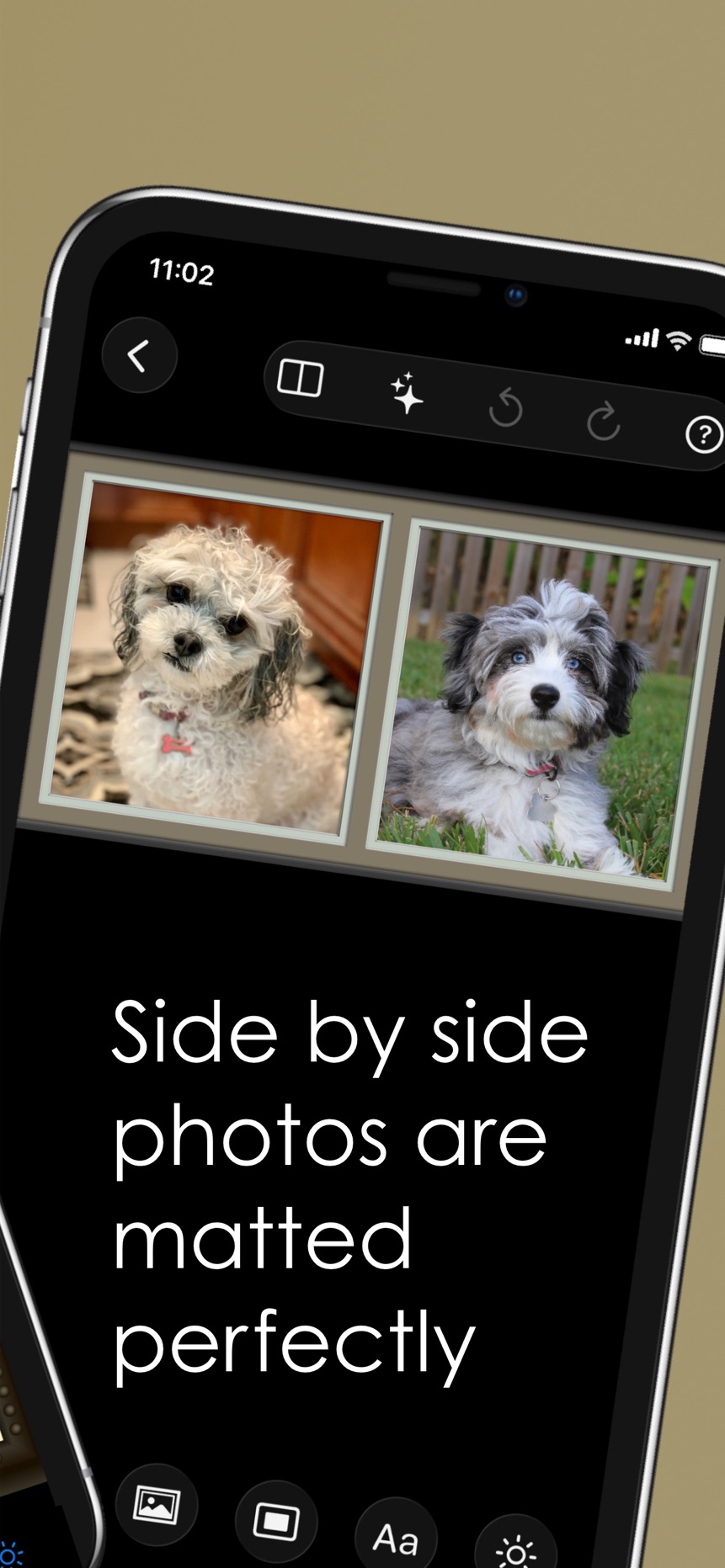
- Two portrait pics can be framed and matted side by side for a beautiful layout.
- This app uploads your beautiful pics to an album in your Google Photos account so displaying them on your CanvasTV (which uses Google TV) is a breeze.
All the features of this app are available for free. There is an in-app purchase to remove the small ads that appear at the bottom of the screen, but that purchase is optional and does not impact any features in the app.
------------------------------------------
"Hisense CanvasTV" is a copyright of Hisense Inc. This app is not affiliated with Hisense.
用户评价
0 条文字评价暂无文字评价
分享卡片 #
Instagram / 微博 / 小红书 会拉起系统分享并附带生成的卡片图
Canvas TV Pics
摄影与录像
免费
PlayMobowww.playmobo.cn


Canvas TV Pics
摄影与录像
免费
扫码查看详情
PlayMobo · playmobo.cn
发现好玩的 iOS 应用与游戏
Canvas TV Pics
摄影与录像
免费
扫码查看详情
PlayMobo · playmobo.cn
发现好玩的 iOS 应用与游戏
Canvas TV Pics
摄影与录像
免费
PlayMobowww.playmobo.cn